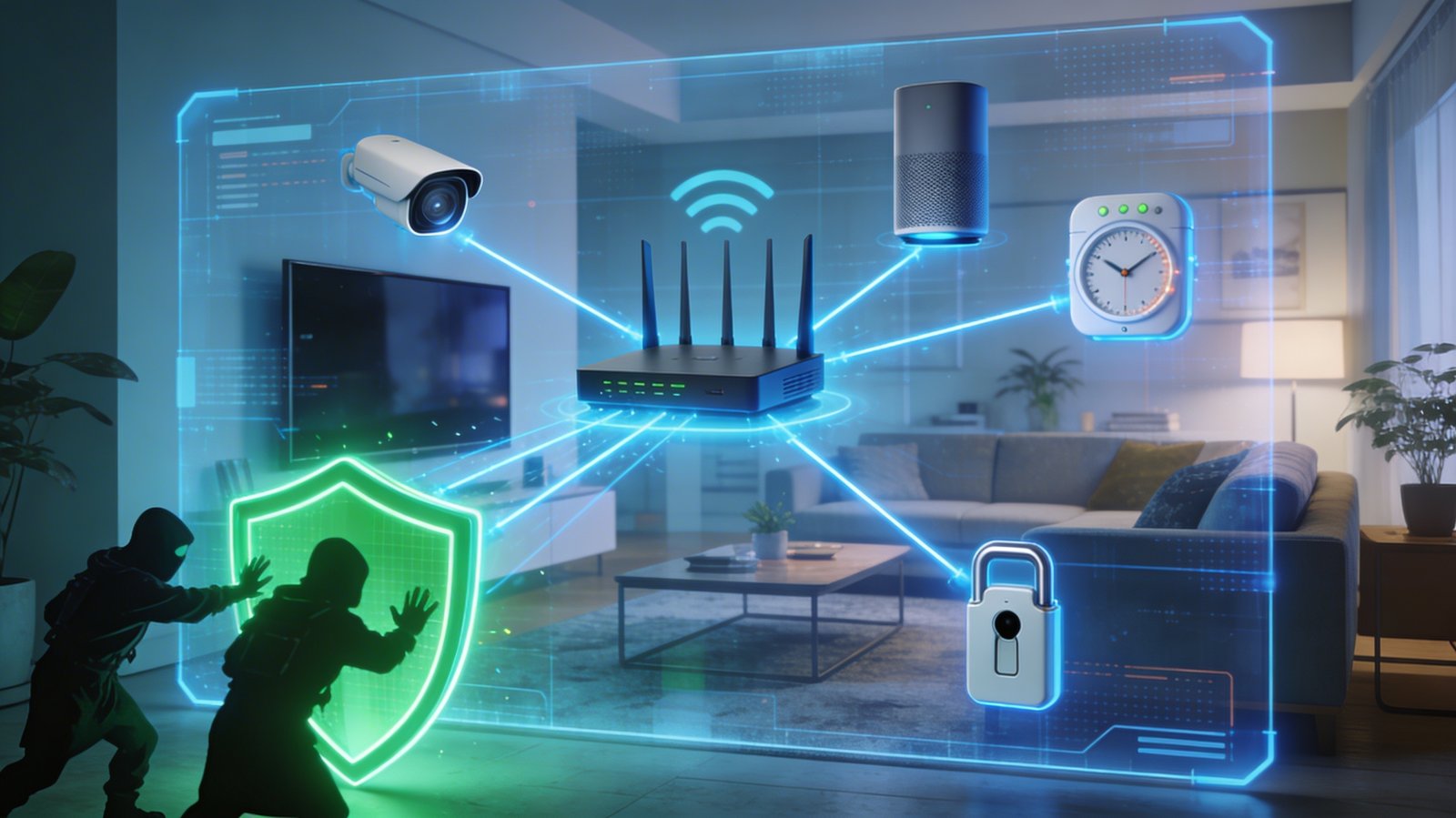
The average smart home today contains dozens of
internet-connected devices — smart speakers, security cameras, video doorbells,
smart TVs, thermostats, lighting systems, baby monitors, and more. Each one of
these devices represents a potential entry point for hackers. And unlike your
laptop or phone, most IoT (Internet of Things) devices receive little ongoing
security attention from their owners — and sometimes even from their
manufacturers.
High-profile cases of smart home devices being hacked
include baby monitors used to spy on families, security cameras livestreamed
without owners' knowledge, and smart home hubs used as jumping-off points to
access computers on the same network. The threat is real, and the protection is
within your reach.
Why Smart Home Devices Are Especially Vulnerable
•
Many ship with default usernames and passwords that
owners never change.
•
Manufacturers prioritize features and cost over
security in firmware development.
•
Devices are often abandoned after launch — no longer
receiving security updates.
•
Owners rarely think of their smart bulb or thermostat
as a "computer that can be hacked."
•
IoT devices often run stripped-down operating systems
with limited security capabilities.
The Top Smart Home Security Threats
Default Credential Attacks
Automated bots constantly scan the internet for devices
still using factory default usernames and passwords. Databases of default
credentials for thousands of device models are publicly available. If your
camera's default login is admin/admin and you never changed it, it could be
publicly visible on the internet right now.
Unpatched Firmware Vulnerabilities
Security researchers regularly discover vulnerabilities in
IoT firmware — flaws that allow attackers to bypass authentication, execute
malicious code, or take over the device. Devices running old firmware remain
vulnerable to attacks targeting these known flaws indefinitely.
Lateral Movement Through Your Network
A compromised smart device on your network can be used as a
beachhead to attack other devices — particularly your computers and phones.
This is called lateral movement. Once an attacker controls your smart TV, they
may be able to reach your laptop if they are on the same network.
Practical Steps to Secure Your Smart Home
Step 1: Change Default Credentials on Every Device
When you set up any new smart device, one of your first
actions should be to change the default username and password. Look for the
device's admin interface — usually accessible via a mobile app or browser — and
set strong, unique credentials. Yes, this applies to your smart thermostat,
your router, your camera, and your smart TV.
Step 2: Keep Firmware Updated
Regularly check for firmware updates for all your smart
devices. Many have an auto-update option — enable it wherever available. For devices
that require manual updates, make a habit of checking the manufacturer's app or
website every few months. When a manufacturer stops providing updates for a
device, seriously consider replacing it.
Step 3: Network Segmentation — The Most Powerful Defense
Separate your smart home devices from your computers and
phones using network segmentation. Most modern routers allow you to create a
guest network. Put all your IoT devices on the guest network and your
computers, phones, and tablets on your main network. Even if a smart device is
compromised, the attacker cannot directly reach your computer.
Step 4: Use a Strong Router and Secure Your Network
Your router is the gateway for all your smart home traffic.
Ensure it uses WPA2 or WPA3 encryption, has a strong admin password, has remote
management disabled, and runs up-to-date firmware. A compromised router means a
compromised everything.
Step 5: Disable Features You Don't Use
Many smart devices have features enabled by default that
create unnecessary security exposure. Universal Plug and Play (UPnP)
automatically opens ports on your router — disable it unless you specifically
need it. Remote access features that allow you to control devices from outside
your home can usually be restricted to specific conditions or disabled entirely
if you never use them.
Step 6: Audit Your Connected Devices Periodically
Log into your router's admin panel every few months and
review the list of connected devices. Remove anything you do not recognize. Old
devices that are no longer in use should be removed from the network — an old
IP camera sitting in a drawer and still connected to your Wi-Fi is a security
liability.
Special Concerns: Smart Security Cameras and Baby Monitors
Cameras deserve special attention because a compromised
camera is a direct privacy violation. Here is the camera-specific security
checklist:
•
Change the default password and enable two-factor
authentication if the camera or app supports it.
•
Buy cameras from reputable manufacturers with a track
record of security updates (Ring, Arlo, Wyze, Nest — though research the latest
security record for any brand before purchasing).
•
Check whether your camera brand has had any publicly disclosed
security incidents and whether they were patched.
•
Consider a camera that stores footage locally rather
than uploading to a cloud server you do not control.
•
Cover or physically disconnect cameras in private areas
(bedrooms, bathrooms) when not in active security use.
Final Thoughts
Smart homes are wonderful when they are secure and
terrifying when they are not. The most powerful protection comes from three
things: changing default passwords, keeping firmware updated, and network
segmentation. These three practices eliminate the vast majority of smart home
attack vectors. Take an hour this weekend, go device by device, and apply these
steps. Your home deserves to be both smart and safe.