Here is a sobering marketing
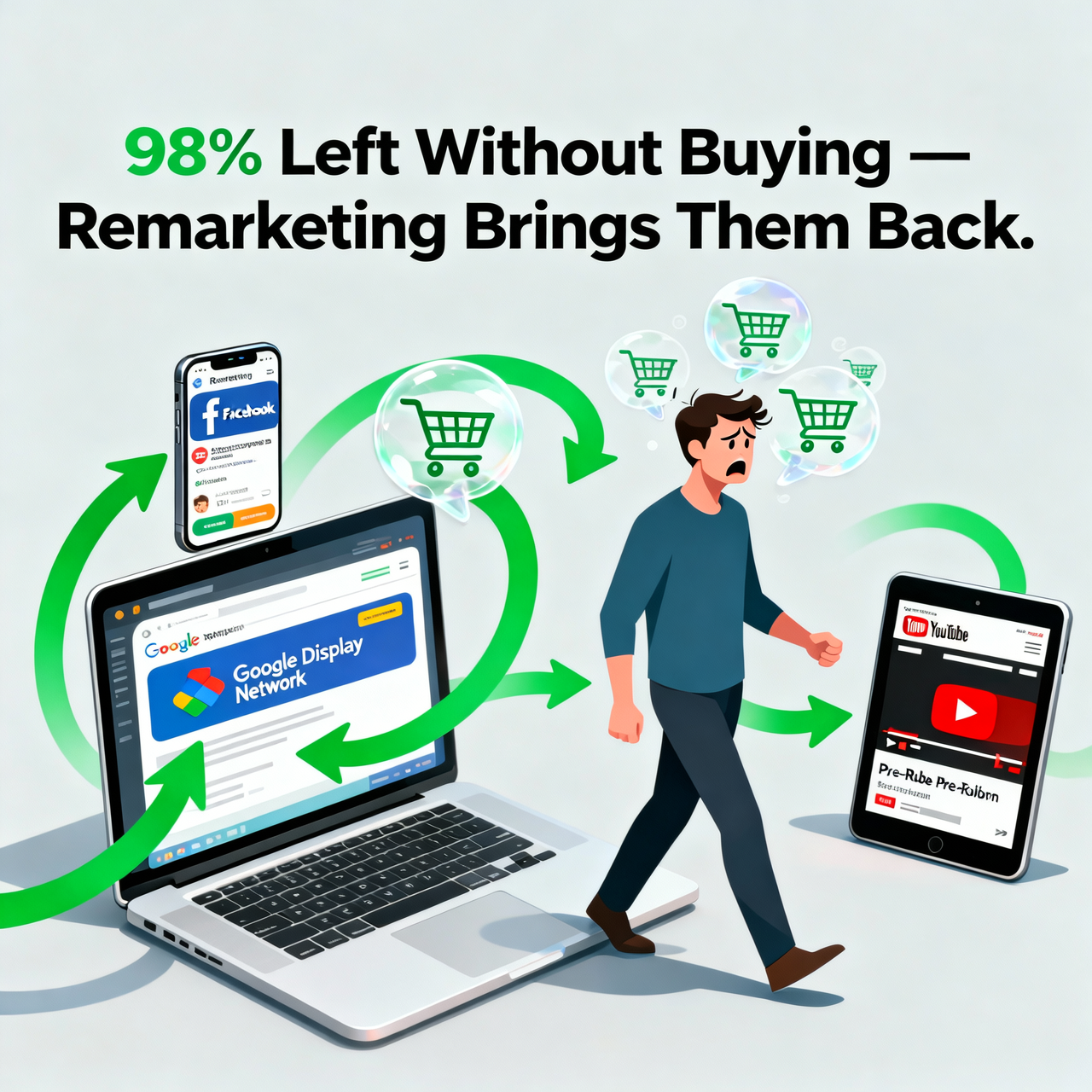
statistic: approximately 97-98% of first-time website visitors leave without
buying, signing up, or taking any action. The average e-commerce conversion
rate is 1.5-3%. That means for every 100 people you spend money or effort
attracting to your website, 97-98 leave without converting.
Remarketing (also called
retargeting) is the strategy of re-engaging these visitors after they leave —
showing them targeted ads on other websites, social media platforms, and search
engines. Because these people have already shown interest in your offer, they
convert at dramatically higher rates than cold audiences. This guide covers how
to build a comprehensive remarketing strategy across all major platforms.
Why Remarketing Works: The Psychology
Multiple exposures to a message
increase conversion likelihood — this is the mere exposure effect in
psychology. First visits rarely convert for several legitimate reasons:
•
The visitor was just browsing, not yet ready to buy
•
They were price-checking across multiple options
•
They were interrupted and did not complete the purchase
•
They were interested but needed more time to think
•
They wanted to consult a partner or colleague first
Remarketing catches these
visitors later — when they are ready to act. The familiar brand recognition
creates trust; the timely reminder creates re-engagement.
The Remarketing Ladder: Segmenting by Intent
Not all website visitors have
equal buying intent. A sophisticated remarketing strategy treats different
visitor segments differently based on how far they progressed in the purchase
journey:
Tier 1: All Site Visitors (Lowest Intent)
These visitors browsed your site
but took no specific action. Appropriate messaging: brand awareness content,
testimonials, or educational content about the problem your product solves.
Keep budget allocation modest for this segment.
Tier 2: Product Page Visitors (Medium Intent)
These visitors viewed specific
products or services, indicating interest in that specific item. Appropriate
messaging: show the exact product they viewed, address common objections,
highlight unique selling points. Dynamic remarketing automatically shows the
exact products viewed.
Tier 3: Cart Abandoners (High Intent)
These visitors added to cart and
left — they were effectively ready to buy but something stopped them. This
segment converts at the highest rates of any remarketing audience. Appropriate
messaging: reminder of the cart contents, free shipping offer, limited stock
message, or simply 'You left something behind.'
Tier 4: Past Customers (Highest Intent)
Existing customers are the
easiest to sell to again. Appropriate messaging: new products, complementary
items, loyalty offers, seasonal promotions.
Setting Up Google Ads Remarketing
Google's remarketing shows ads
to your website visitors across Google's Display Network (over 2 million
websites and apps) and Google Search.
Step 1: Add the Google Tag to Your Website
1. In
Google Ads: Tools and Settings > Audience Manager > Your Data Sources
2. Set
up Google Ads Tag for your website
3. Install
the tag on every page via Google Tag Manager or direct code insertion
Step 2: Create Remarketing Audiences
4. Audience
Manager > Audiences > blue + button
5. Create:
All Visitors (last 30 days), Product Page Visitors (visited /product/ URLs),
Cart Abandoners (visited /cart/ but not /thank-you/)
Step 3: Create Remarketing Campaigns
•
Display remarketing: banner ads across the Display
Network
•
RLSA (Remarketing Lists for Search Ads): bid higher
when past visitors search relevant keywords — these searchers are already
familiar with your brand
•
Dynamic Display Ads: automatically show ads featuring
the exact products viewed on your site (requires Google Merchant Center for
e-commerce)
Facebook and Instagram Remarketing
Meta's remarketing capabilities
are among the most powerful available, with the ability to target based on
website behavior, video views, Instagram and Facebook engagement, and customer
lists.
Setting Up Meta Pixel for Remarketing
6. Facebook
Events Manager > Connect Data Sources > Web > Facebook Pixel
7. Install
Pixel on your website (via Partner Integration for Shopify/WooCommerce, or
manual code)
8. Set
up standard events: PageView, ViewContent (product pages), AddToCart,
InitiateCheckout, Purchase
Creating Custom Audiences for Remarketing
•
Website Visitors — All (last 30 days)
•
Product Page Viewers — visited specific product pages
•
Add to Cart but not Purchase
•
High-Value Visitors — visited pricing page or spent
more than 3 minutes on site
•
Customer List — upload CSV of existing customer emails
Dynamic Product Ads
Facebook's Dynamic Product Ads
automatically show each visitor the exact products they viewed — without you
creating individual ads. Requires uploading a product catalog to Facebook
Commerce Manager and installing the appropriate Pixel events.
Abandoned Cart Email Remarketing
Before any paid remarketing, set
up abandoned cart email automation — it is free, converts extremely well, and
captures buyers who provided their email before abandoning.
Three-Email Abandoned Cart Sequence
•
Email 1 (1 hour after abandonment): simple reminder —
'You left something behind.' Show the product, no pressure.
•
Email 2 (24 hours): address the most common objection —
shipping time, return policy, product quality reassurance.
•
Email 3 (48-72 hours): offer a modest incentive — free
shipping, 10% discount code with urgency: 'Your cart expires in 24 hours.'
(Optional: some brands choose not to discount, valuing margin over urgency)
Average abandoned cart email
recovery rate: 5-15% of abandoned carts. For e-commerce stores doing
significant volume, this sequence alone can recover thousands of dollars
monthly.
Remarketing Ad Creative Best Practices
•
Frequency capping: limit display ads to 3-5 impressions
per user per day — excessive frequency creates negative brand associations
•
Message progression: do not show the same ad
repeatedly. Rotate messages: reminder → social proof → objection handling →
offer
•
Urgency creation: 'Limited stock,' 'Sale ends
tomorrow,' 'Offer expires soon' — authentic urgency significantly improves
conversion
•
Clear relevance signal: remind them what they viewed —
'You were checking out [product name]...'
•
Exclude converted users: immediately exclude purchasers
from remarketing to avoid showing ads to people who already bought
Measuring Remarketing Campaign Success
•
View-through conversion rate: did someone who saw (but
did not click) your ad later convert?
•
Return on Ad Spend (ROAS): typically 5-15x for
remarketing vs. 2-4x for prospecting — the highest-return campaign type
•
Cost per conversion: compare remarketing CPC to
prospecting CPC
•
Revenue recovered from abandoned carts: track via email
platform or e-commerce analytics
Remarketing Budget Allocation
General guideline: allocate
20-30% of your total digital advertising budget to remarketing across all
channels. The significantly higher ROAS of remarketing justifies a
disproportionate share of budget relative to audience size. Your remarketing
audience (past website visitors) is always much smaller than cold prospecting
audiences, but converts much more efficiently.
Conclusion
Remarketing is not optional for
any business running digital marketing — it is the system that converts the
majority of interested visitors who were not ready on their first visit.
Implement the abandoned cart email sequence today (if you have e-commerce), set
up Google and Facebook Pixel on your website, and build your first remarketing
campaigns within the next two weeks. The ROI on remarketing consistently
exceeds every other advertising campaign type, making it the highest-priority
paid marketing investment after your primary acquisition channels are
established.
Category:
Digital Marketing
Tags:
remarketing strategy 2026, retargeting ads setup, Facebook
remarketing, Google Ads remarketing, abandoned cart recovery