Your web server is fast,
your code is clean, your hosting is good — but your pages still load slowly.
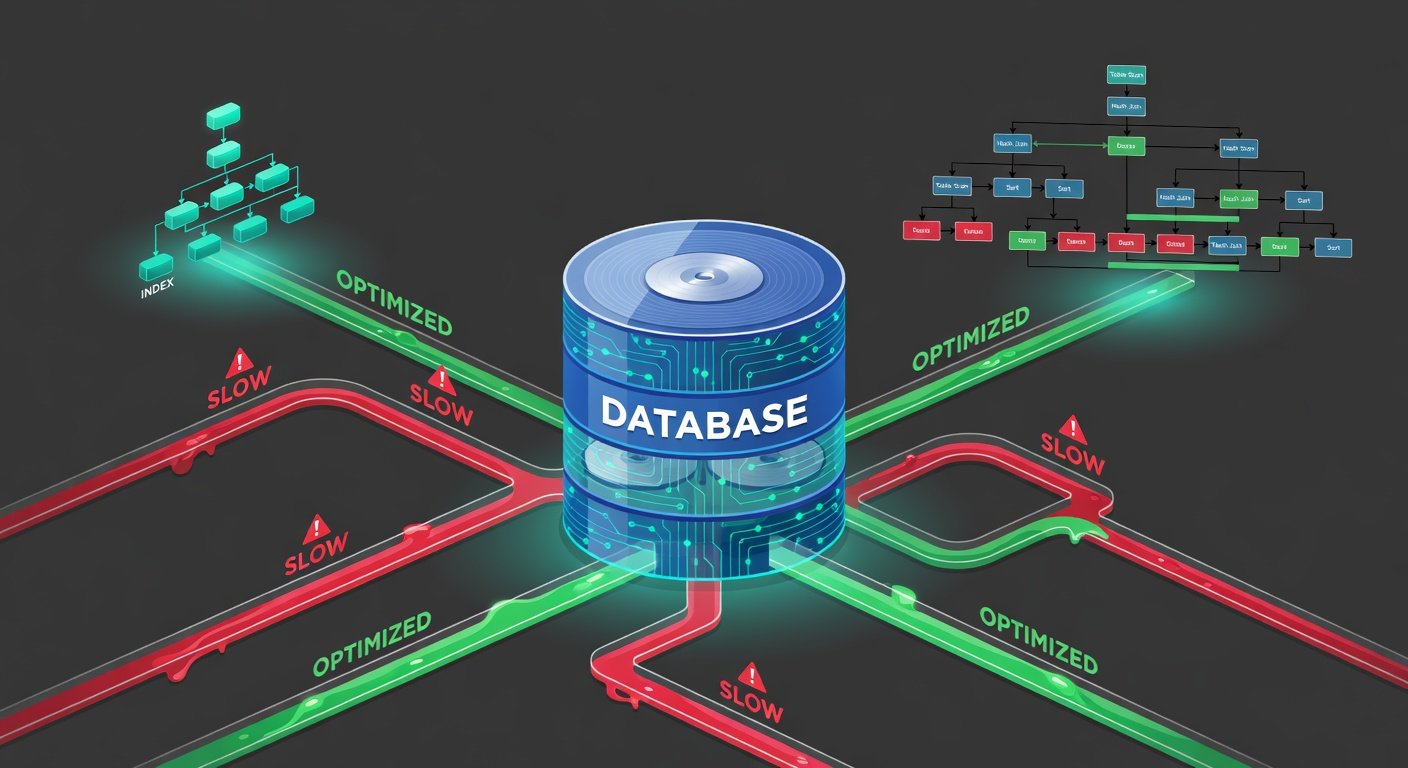
When you use profiling tools, you discover the culprit: the database. Slow
database queries are one of the most common sources of website performance problems,
and they tend to get worse over time as data grows.
This guide covers the
systematic approach to database performance optimization — how to find the slow
queries, understand why they are slow, and apply the specific fixes that make
the biggest difference.
How to Identify Slow Queries
Enable the Slow Query Log in MySQL
MySQL has a built-in slow
query log that records every query that takes longer than a specified
threshold. Enable it by adding these lines to your MySQL configuration file
(my.cnf or my.ini): slow_query_log = 1, slow_query_log_file =
/var/log/mysql/slow.log, long_query_time = 1 (logs queries slower than 1
second). After enabling, check the log file regularly for problematic queries.
The mysqldumpslow utility summarizes the log to show your worst offenders.
Use EXPLAIN to Analyze Queries
Once you have identified a
slow query, prefix it with EXPLAIN to see how MySQL executes it. The EXPLAIN
output shows the execution plan — which tables are scanned, which indexes are
used (or not used), how many rows are examined, and what join strategy is used.
The most important columns to check: type (ALL means a full table scan —
usually bad), key (which index is used — NULL means no index), rows (estimated
number of rows examined — lower is better), and Extra (look for 'Using
filesort' or 'Using temporary' which indicate expensive operations).
Fix 1: Add Database Indexes
Database indexes are the
single most impactful optimization for query performance. An index is a data
structure that allows the database to find rows matching a condition without
scanning the entire table. Without an index, a query like SELECT * FROM orders
WHERE customer_id = 1234 must scan every row in the orders table. With an index
on customer_id, MySQL jumps directly to the relevant rows. The command is
simple: CREATE INDEX idx_customer_id ON orders (customer_id). Columns used in
WHERE clauses, JOIN conditions, and ORDER BY clauses are prime candidates for
indexing.
When to Use Composite Indexes
If queries frequently
filter by multiple columns together (e.g., WHERE status = 'active' AND
created_at > '2026-01-01'), a composite index on both columns (CREATE INDEX
idx_status_created ON orders (status, created_at)) outperforms separate indexes
on each column. The column order in a composite index matters — put the most
selective column (fewest distinct values per used value) first.
Index Maintenance Cautions
Indexes speed up SELECT
queries but slow down INSERT, UPDATE, and DELETE operations because the index
must be maintained with every data change. Do not add indexes to every column —
add them to columns that are actually used in query conditions. Remove unused
indexes. Run ANALYZE TABLE regularly to ensure the query optimizer has
up-to-date statistics about your data distribution.
Fix 2: The N+1 Query Problem
The N+1 problem is one of
the most common and damaging database performance issues in web applications.
It happens when code fetches a list of items with one query, then makes one
additional query for each item in the list to fetch related data. Example:
fetching 50 blog posts (1 query) and then fetching the author data for each
post separately (50 additional queries) = 51 total queries to build one page.
The fix is to use a single JOIN query or your ORM's eager loading feature to
fetch all the necessary data in 1-2 queries instead of N+1. In Django, use
select_related() or prefetch_related(). In Rails, use includes(). In Laravel,
use with(). In Sequelize, use include in your findAll options.
Fix 3: Only Select What You Need
SELECT * (selecting all
columns) is a convenient habit that becomes a performance problem on large
tables. If your table has 30 columns but you only need 3, you are transferring
10x more data than necessary over the database connection. Always select only
the specific columns your code actually uses: SELECT id, title, created_at FROM
posts WHERE status = 'published'. This reduces network overhead, memory usage,
and can enable index-only scans (where MySQL reads the index without touching
the actual table data at all).
Fix 4: Pagination and LIMIT
Loading entire result sets
when you only need one page of results is extremely wasteful on large datasets.
Always use LIMIT and OFFSET for paginated queries. However, be aware that
OFFSET becomes slow on large offsets (SELECT ... LIMIT 10 OFFSET 50000 still
scans and discards 50,000 rows). For very large datasets, use keyset pagination
(cursor-based pagination) instead: WHERE id > last_seen_id LIMIT 10. This is
O(1) regardless of how far into the dataset you are.
Fix 5: Query Caching
For queries on data that
changes infrequently, cache the results in memory (Redis or Memcached) rather
than hitting the database on every request. This is especially effective for
expensive aggregate queries (totals, counts, averages across millions of rows)
and reports that are generated periodically. Implement cache invalidation to
refresh the cache when underlying data changes. Even a short cache time of 60
seconds can dramatically reduce database load for high-traffic pages.
Fix 6: Connection Pooling
Opening a new database
connection for every HTTP request is slow (connections take time to establish)
and resource-intensive. Connection pooling maintains a pool of open connections
that are reused across requests. Most database libraries support connection
pooling. For Node.js with MySQL, use the mysql2 pool option. For Python,
SQLAlchemy handles pooling automatically. For PHP with PDO, connections are
pooled when using persistent connections. Ensure your pool size is tuned to
your application's concurrency level and your database server's max_connections
setting.
Fix 7: Database Schema Optimization
Review your table designs
for common performance issues: Using TEXT or BLOB columns when VARCHAR would
suffice (TEXT/BLOB cannot be indexed efficiently). Storing JSON strings in
VARCHAR instead of using a proper JSON column type (MySQL 5.7+ and PostgreSQL
support native JSON with indexing). Very wide tables with many columns —
consider splitting infrequently accessed columns into a separate related table.
Using appropriate data types (INT vs BIGINT, correct VARCHAR lengths) reduces
storage requirements and speeds comparisons.